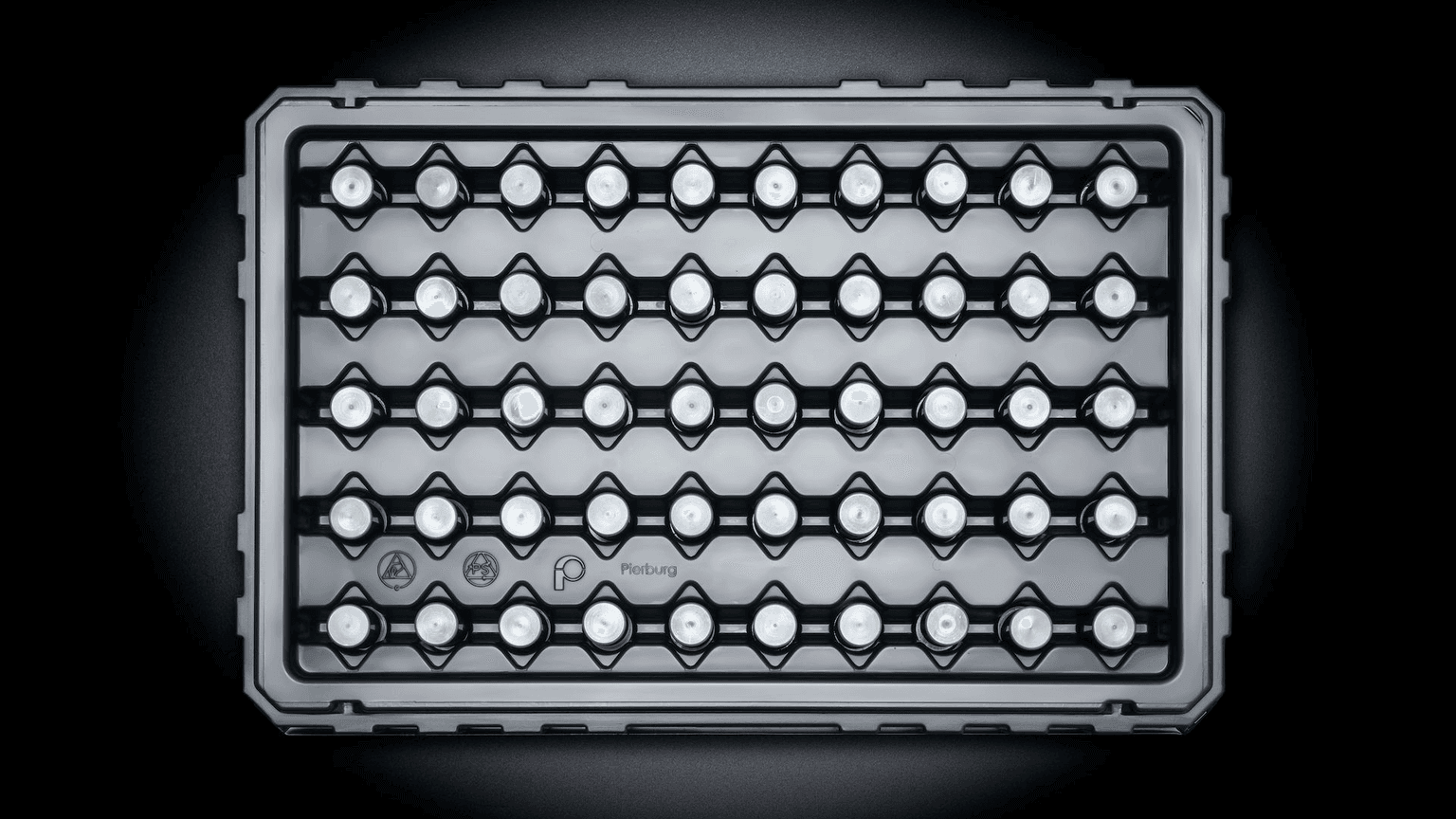
Ordering Standard Plastic Thermoformed Inserts: Step by Step for the formary Online Shop
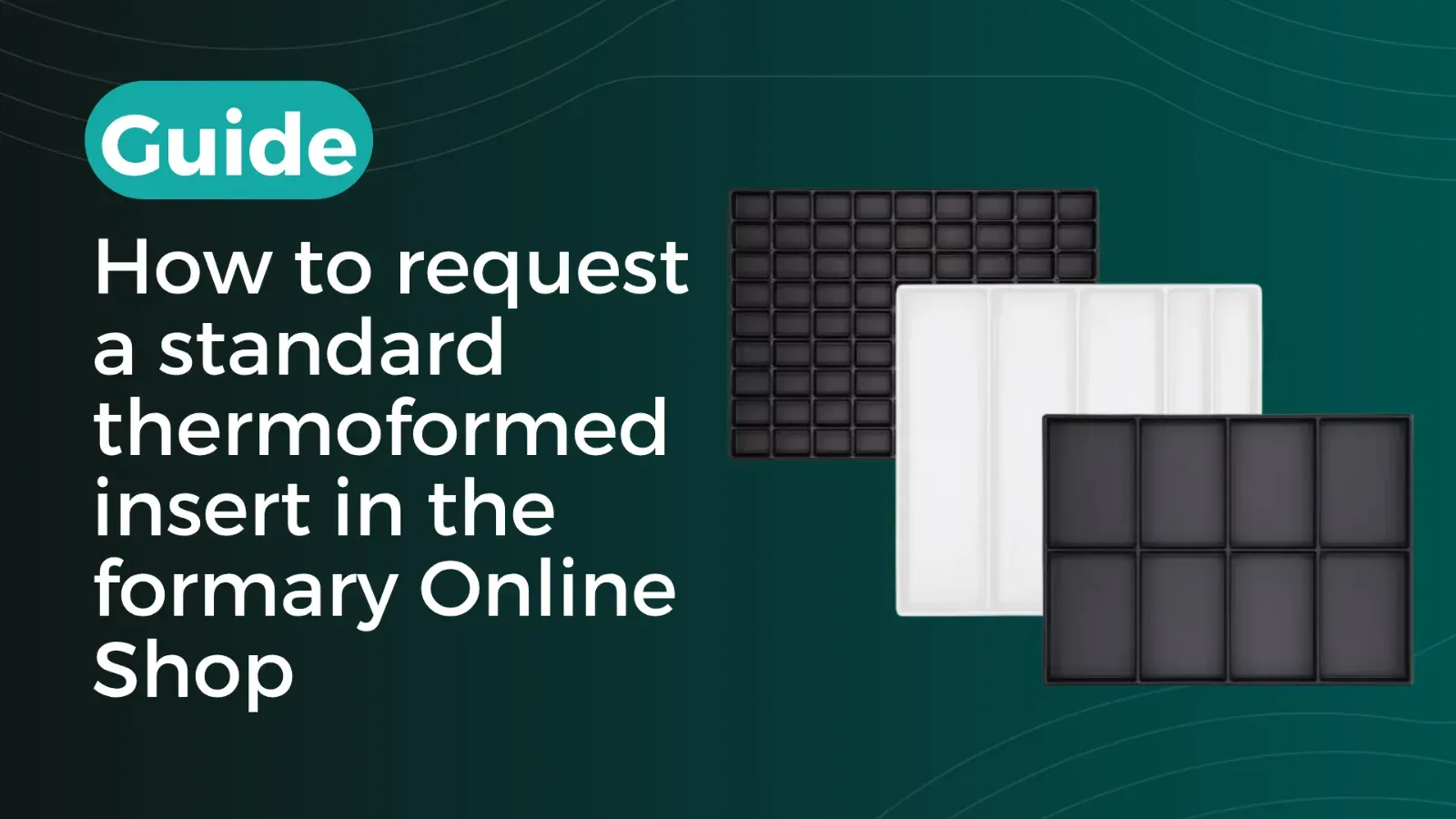
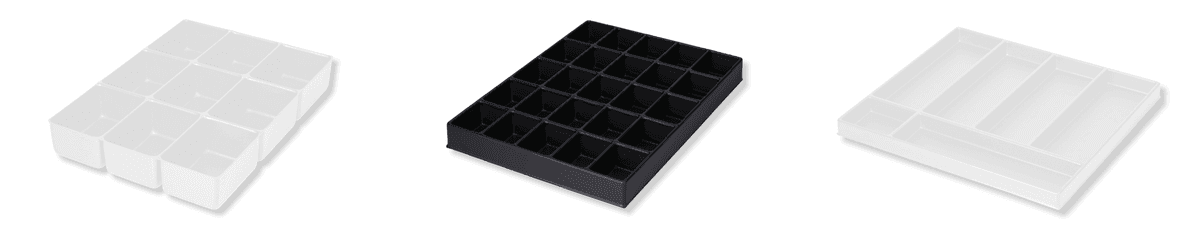
Standard plastic thermoformed inserts are suitable for companies that want to equip SLCs or Euro containers quickly, without tooling costs and starting from small quantities. The formary Online Shop offers 220 ready-made inserts, including standard versions made from white PS and ESD-resistant versions made from conductive black PS. In this article, we show you step by step how to find suitable standard thermoformed inserts in the formary Online Shop, check technical details, request a sample and then obtain a quotation.
Sarah Guaglianone
Updated on September 30, 2026
Share
Ordering Standard Thermoformed Inserts from formary – Key Takeaways
The formary Online Shop offers 220 standard plastic thermoformed inserts for SLCs and Euro containers or for free-standing handling and staging processes.
The inserts can be ordered without tooling costs, as they are ready-made standard products.
We explain step by step how to select suitable inserts based on outer dimensions, nest shape, number of nests, material thickness and ESD requirements.
Standard inserts can be ordered from 1 piece; ESD versions from 50 pieces.
Free samples help you check fit, stackability and handling before placing an order.
If no standard product fits, an individual thermoformed insert can be requested via the formary configurator.
Requirements for Ordering in the formary Online Shop
Have the following information ready before opening the shop:
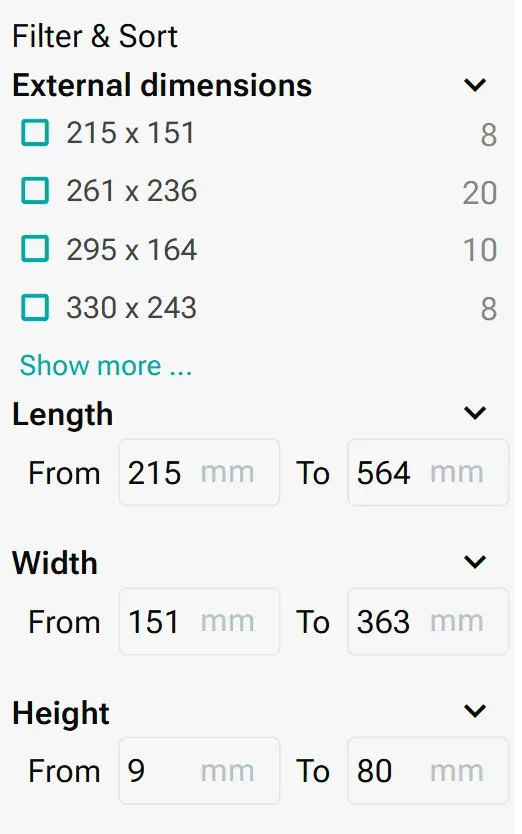
Outer dimensions of the standard inserts: First check whether one of the available standard formats fits your SLC, Euro container or load carrier. The Online Shop includes standard thermoformed inserts in various outer dimensions, including formats from 215 × 151 mm to 564 × 363 mm. Inserts in the formats 340 × 250 mm, 352 × 252 mm and 553 × 353 mm are particularly common. If the insert dimensions you require are outside the available standard formats, the standard range is probably not suitable. In this case, the formary configurator is suitable for an individual thermoformed insert.
Part geometry: Clarify whether your parts require rectangular, round, groove-shaped, square or round multi-level nests. This determines which products are relevant before any further filters are applied.
ESD requirement: Standard inserts in the formary Online Shop are made from white PS (polystyrene). ESD-resistant versions use conductive black PS with a surface resistance of ≥10⁴ to <10¹¹ ohms. Clarify the ESD requirement with your development or quality department before selecting a product.
Operating temperature: All standard thermoformed inserts in the shop are designed for continuous operation between -10 °C and +80 °C. If your process lies outside this range, a standard insert is not suitable.
Target quantity: Standard thermoformed inserts can be ordered from one piece. ESD thermoformed inserts require a minimum order quantity of 50 pieces. This difference affects both the sample strategy and procurement planning.
Step 1: Open the Shop and Filter by the Outer Dimensions of the Insert
Go to formary.de/online-shop and select the appropriate outer dimension of the standard thermoformed insert as the first filter. The outer dimension is particularly important if the insert is to be placed inside a SLC, Euro container or another load carrier. In this case, the insert must fit the usable inner surface or support surface of the container.
If the thermoformed insert is not used inside a container but placed freely on a work surface, shelf or within a manual handling process, the outer dimension plays a different role. In that case, it is less about container compatibility and more about footprint, ease of handling, process integration and the desired number of parts per insert.
Therefore, first check the planned application: If the insert is intended to fit into an existing container, measure the usable inner surface of the container before filtering. If the insert is to be used freely, choose the outer dimensions based on available space, handling and desired packing density. This reduces the range of 220 products to the standard thermoformed inserts that are generally suitable for your application.
Step 2: Define Requirements for Material, ESD Protection and Handling
In the next step, select the requirements that are relevant to your application. These include ESD protection, grip recesses, rotational stacking, colour and material thickness.
ESD Protection: Yes or No
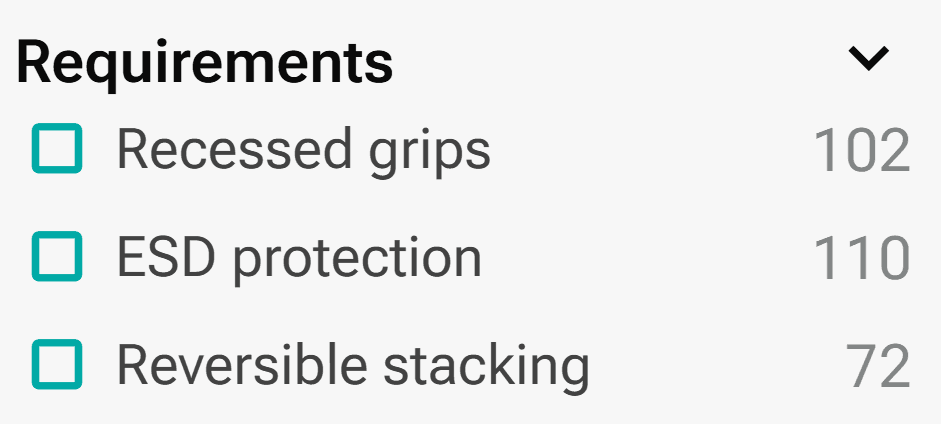
If you store or transport electronic or electrostatically sensitive components, select an ESD-protected version. The shop includes 110 thermoformed inserts with ESD protection. These are made from black, conductive PS. For applications without ESD requirements, 110 white standard inserts are available.
Handling
Also check whether grip recesses or rotational stacking are important for your process. 102 products feature grip recesses that make manual removal easier. 72 products support rotational stacking and are therefore suitable for processes in which inserts are to be stacked inside or on top of each other in a space-saving way during circulation.
Material Thickness
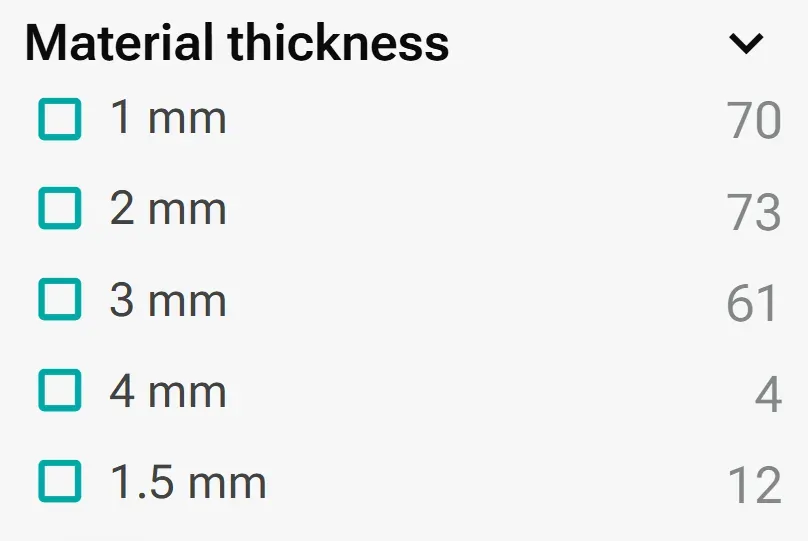
Then filter by the appropriate material thickness. The shop offers inserts with material thicknesses of 1 mm, 1.5 mm, 2 mm, 3 mm and 4 mm. Thicknesses of 1 mm, 2 mm and 3 mm are particularly common. The suitable thickness depends on how stable the insert needs to be, how heavy the parts are and whether the insert is used more as a lightweight sorting aid or as a robust transport and returnable packaging solution.
Step 3: Narrow Down Nest Shape, Number of Nests and Inner Dimensions
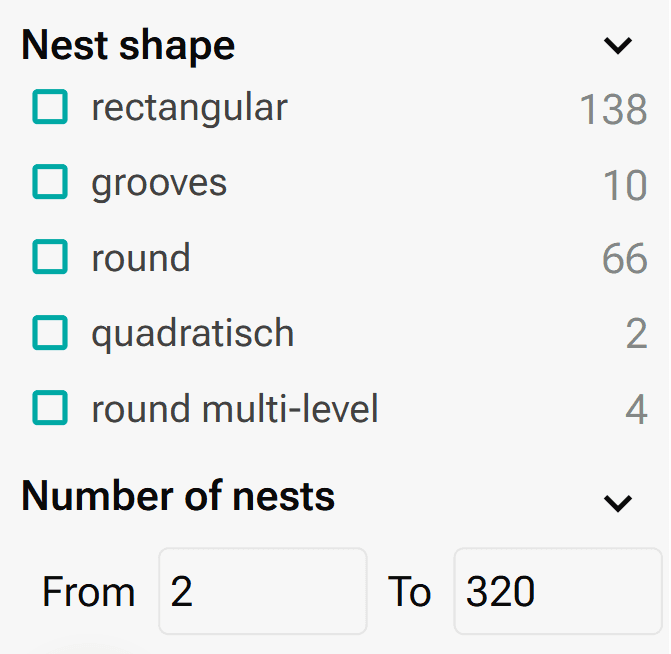
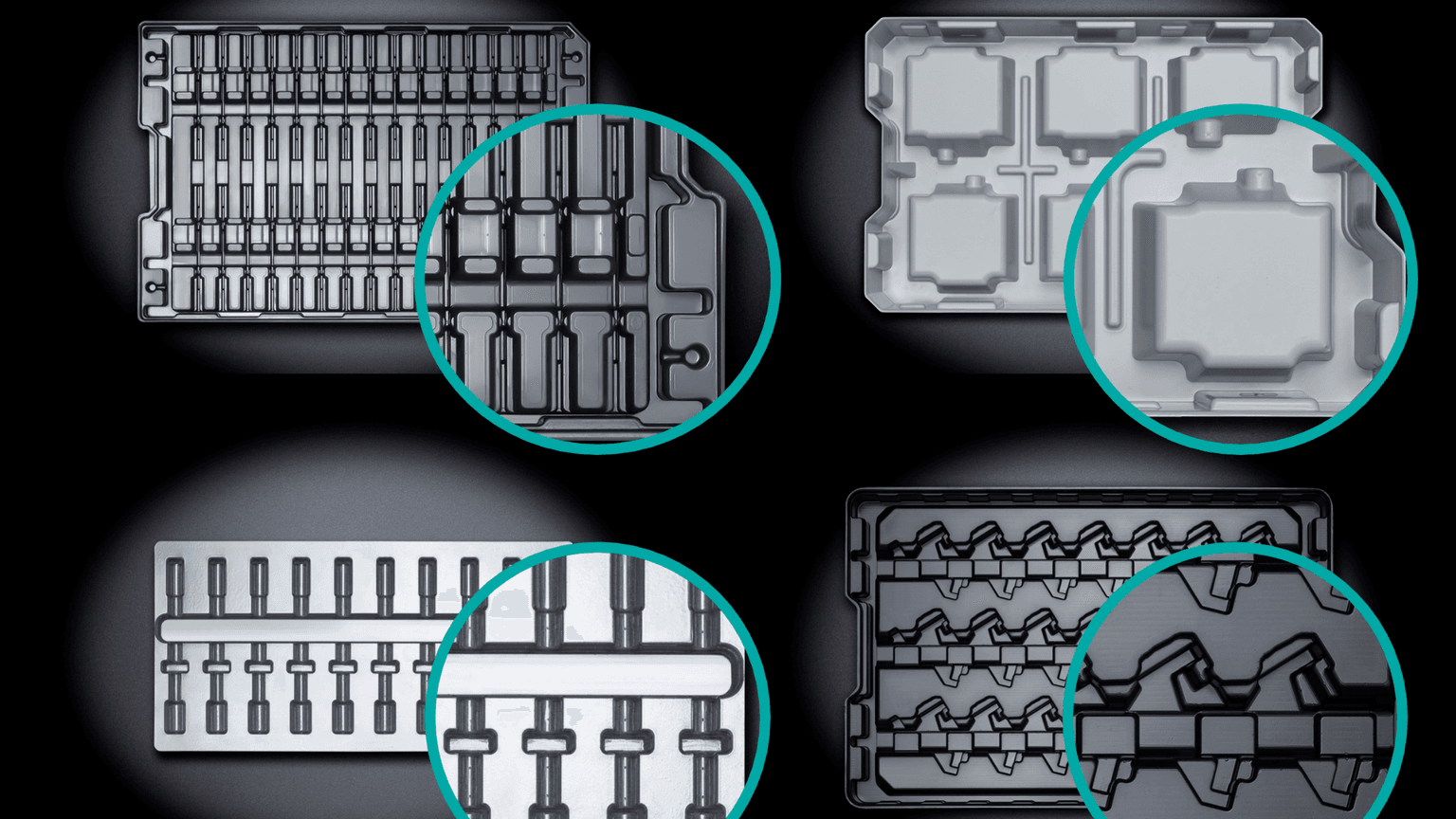
Select the nest shape that matches the geometry of your parts. The range is divided into 138 products with rectangular nests, 66 with round nests, 10 with grooves, 2 with square nests and 4 with round multi-level nests. Then enter the desired number of nests as well as the required inner dimensions of the nests.
ℹ️ Note:Always check the inner dimensions of the nests against the actual component geometry. Length, width and height are not the only relevant factors; removal direction, tolerance requirements, protection requirements and handling are also important. An insert with many small nests is suitable for different components than an insert with a few large cavities.
Step 4: Open the Product Detail Page and Check Technical Details
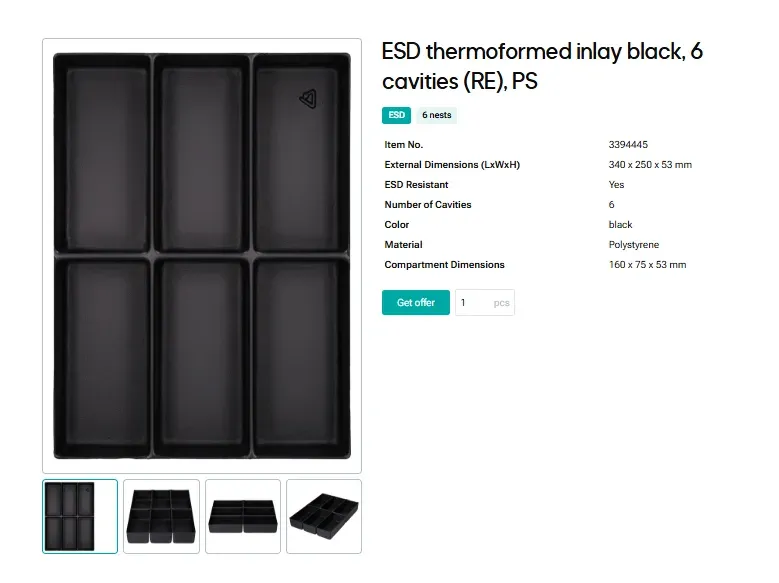
After you have set all filters, the shop displays the suitable standard thermoformed inserts in the product overview. Click on a product to open the detail page. There you will find further technical information about the respective insert, such as outer dimensions, nest shape, number of nests, nest dimensions, material, colour, material thickness, ESD protection, stacking type, grip recesses, operating temperature and availability.
The filters help narrow down the range. However, the final check takes place on the product detail page. Compare the specified nest dimensions with your actual component geometry and check whether handling, stacking and material version match your process.
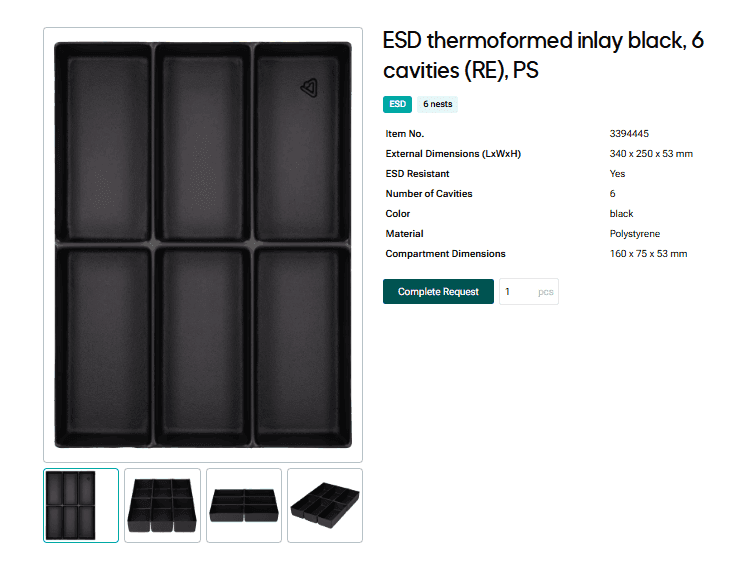
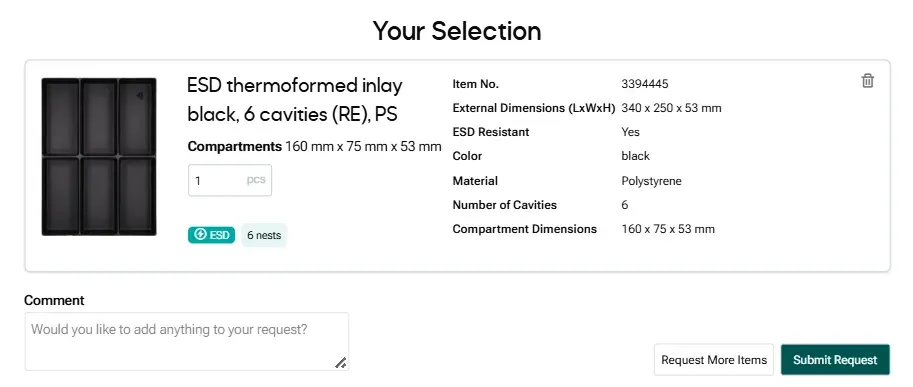
If the insert is generally suitable, click Get offer. The button then changes to Complete request. This means the product has been added to your request. You can proceed directly to the request or check further products in the shop and add them via Get quotation as well.
Step 5: Request a Free Sample Before Ordering a Production Quantity
Use the contact option on the product page and request a sample. Samples are free of charge and will not be invoiced.
Include the sample lead time in your project schedule. Stock items are available for immediate delivery, while items without stock have a lead time of around 4–6 weeks. If you request samples early, you can validate the insert during this production window instead of adding another full cycle to your project schedule.
Step 6: Complete the Quotation Request in the Shopping Cart
After you have selected a product via Get offer, a shopping cart icon appears at the top of the menu bar. This cart takes you to an overview of your selected products. Alternatively, click Complete request on the product detail page once the button appears after adding the product.
In the shopping cart, you can complete your request. There, you check the selected standard thermoformed inserts, enter your desired quantity and add any additional requirements. This is particularly helpful if you want to compare or request several suitable products together.
Pad printing, screen printing, digital printing and PE/PU foam inserts are available as additional options for all standard inserts. If you specify these requirements directly in the request, the quotation can be prepared more completely.
Before submitting, check whether your quantity meets the minimum order quantity: one piece for standard inserts, 50 pieces for ESD thermoformed inserts. We will get back to you within 24 hours at the latest after your request.
Troubleshooting
No standard product fits your requirements: If no outer dimension, nest geometry or nest dimension from the standard range fits your application, use the formary configurator for an individual thermoformed insert.
ℹ️ If you have CAD data for your components, you can also upload it to our 3D Tray Generator. Based on your data, it creates a tray concept that you can also use to submit a direct request to formary.
The item is not in stock: The lead time without stock is around 4–6 weeks. If this time window conflicts with your project deadline, explicitly note this in your request so that formary can check production planning.
Conclusion: Quickly Check Standard Thermoformed Inserts, Request Samples and Order Without Tooling Costs
The formary Online Shop is useful if you want to procure a plastic thermoformed insert quickly without commissioning an individual thermoforming tool. Using the filters, you narrow down the range by outer dimensions, ESD protection, material thickness, handling requirements, nest shape and nest dimensions. The final check then takes place on the product detail page.
The specific application is particularly important: If the insert is to be used in a SLC, Euro container or load carrier, the outer dimensions must fit the usable inner surface. If the insert is used freely, footprint, packing density, ease of handling and process integration are more important. In both cases, nest dimensions, material thickness, stacking type and ESD requirements should be checked before submitting the request.
If a standard product fits, you can request a free sample or quotation directly via the product detail page. If outer dimensions, nest geometry or technical requirements differ from the standard range, the formary configurator is the next step for an individual thermoformed insert. Find out more about the difference between standard trays and individual solutions in our article.
Frequently Asked Questions about Standard Thermoformed Inserts in the formary Online Shop
No. Many inserts are used in SLCs, Euro containers or other load carriers, but they can also be used freely on a work surface, in a shelf or within a handling process. If the insert is used in a container, the outer dimensions must fit the usable inner surface. For free-standing use, footprint, ease of handling and packing density are more important.
The formary Online Shop offers standard thermoformed inserts in various outer dimensions, from small formats such as 215 × 151 mm to larger formats such as 564 × 363 mm. Whether a format fits depends on the application: for containers, on the usable inner surface; for free-standing use, on the available space and desired number of parts per insert.
The Online Shop offers standard thermoformed inserts with rectangular, round, groove-shaped, square and round multi-level nests. The suitable nest shape depends on the geometry of the components that are to be stored, transported or staged.
No. In the Online Shop, you can manually enter the desired number of nests, nest length, nest width and nest height in the filters. However, the filters only narrow down the existing standard range. If no standard insert with suitable nest dimensions is available, no matching product will be displayed. In this case, an individual thermoformed insert via the formary configurator is recommended.
The most important technical details can be found on the respective product detail page. There you will find information on outer dimensions, nest shape, number of nests, nest dimensions, material, colour, material thickness, ESD protection, grip recesses, stacking type and operating temperature.
After setting the filters and selecting a suitable product, open the product detail page. There, you can use the Get quotation button to submit a request directly and specify your desired quantity and additional requirements.
If no standard product matches your requirements, you can request an individual thermoformed insert via the formary configurator. This is useful if outer dimensions, nest geometry, nest dimensions, material requirements or process requirements differ from the standard range.
Further Resources
Thermoformed Parts in Practice
Optimizing Intralogistics – How Trays Improve Your Intralogistics Processes
Rising customer demands, flexibility needs, and resource efficiency goals require companies to constantly improve intralogistics. To remain competitive and sustainable, they must optimize material flows, minimize handling times, and implement efficient storage and transport.
Thermoformed Parts in Practice
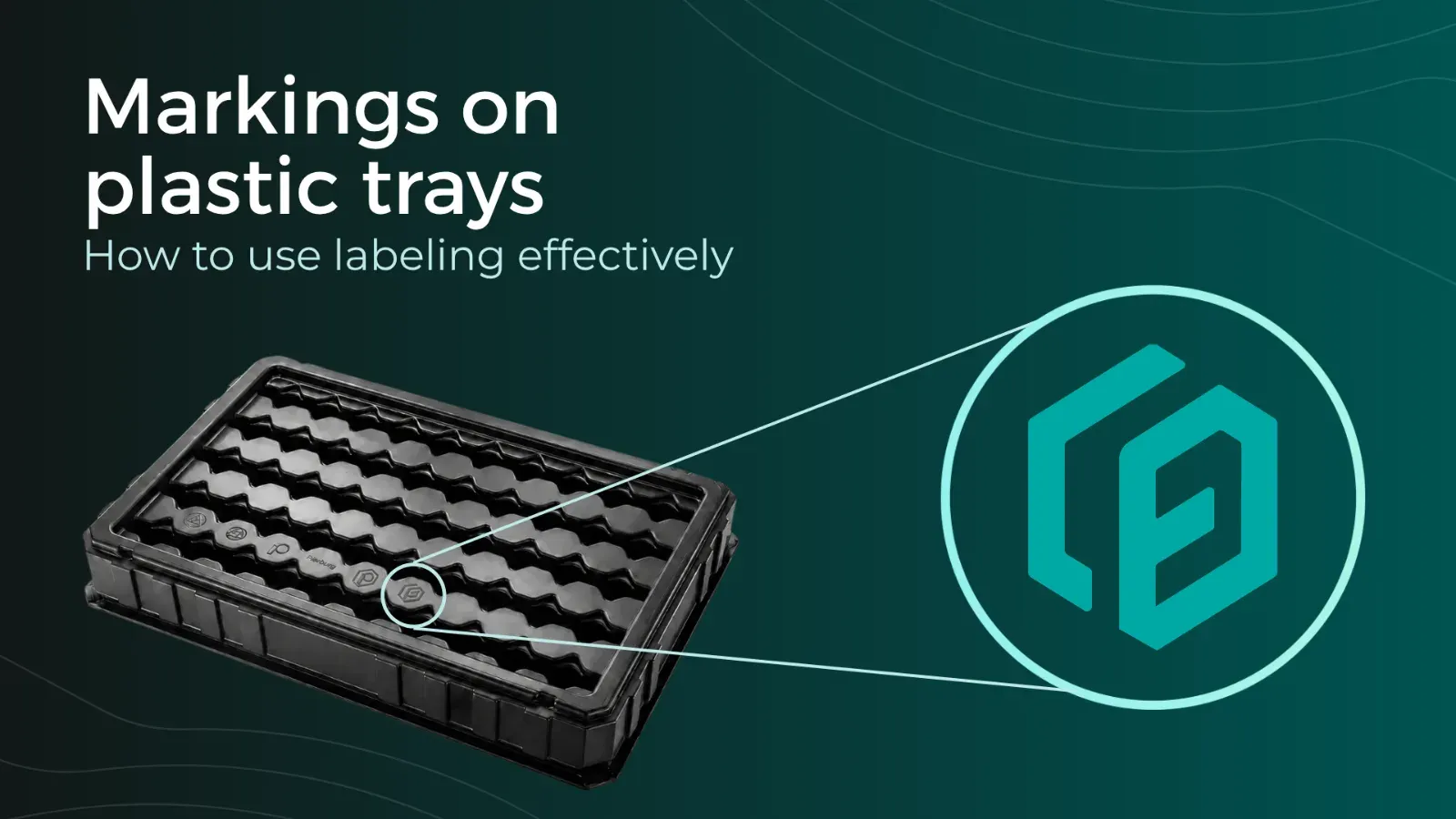
Tray Labeling: How to Use Labels Effectively for Your Packaging
To ensure that trays can be correctly identified and used, clear labeling is essential. Depending on the application, quantity, and process requirements, different methods can be used, such as permanent engraving or flexible labels. In this article, you will learn which tray labeling methods are available, when each method makes sense, and how labeling can already be incorporated into the tray design using formary’s 3D Tray Generator.
Platform & Features
Ordering Standard Plastic Thermoformed Inserts: Step by Step for the formary Online Shop
Standard plastic thermoformed inserts are suitable for companies that want to equip SLCs or Euro containers quickly, without tooling costs and starting from small quantities. The formary Online Shop offers 220 ready-made inserts, including standard versions made from white PS and ESD-resistant versions made from conductive black PS. In this article, we show you step by step how to find suitable standard thermoformed inserts in the formary Online Shop, check technical details, request a sample and then obtain a quotation.
Thermoformed Parts in Practice
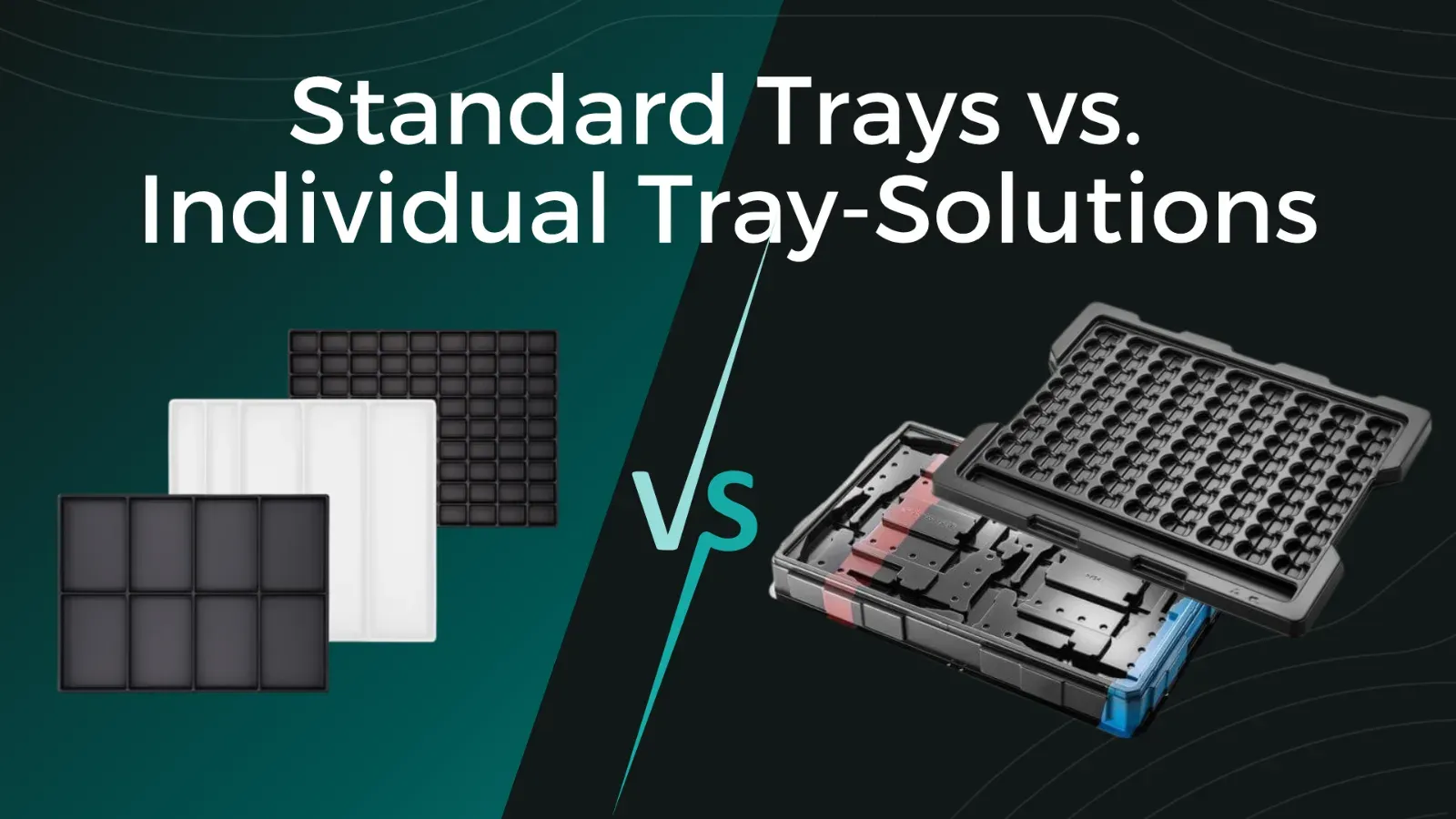
Standard Trays vs. Custom Tray Solutions: Which Option Is Best for Your Project?
Anyone sourcing plastic trays for transport, storage, or production quickly faces the question: choose a standard tray from the catalog or have a custom solution developed by a thermoforming specialist? Both options have their place. The right choice depends on the component, quantity, budget, and project requirements. This article explains which option is the right one for you.
Thermoformed Parts in Practice
Thermoformed Plastic Parts in Use – Detailed Applications
Thermoformed plastic parts play a crucial role in almost every industry, from manufacturing and mechanical engineering to medicine and food production. In this article, we take a closer look at the various applications of thermoformed plastic parts across different industries.
Thermoformed Parts in Practice
Determining the Mold Nests of Your Workpiece Carrier
Mold nests or cavities can be diverse: rectangular, round, custom-shaped, tracks, ribs, or domes. So how is it decided which mold nest is the right one? More on this in the article.
Thermoformed Parts in Practice
What Stacking Methods Are Used for Trays? 4 Stacking Methods for Efficient Palletizing
This article demonstrates which stacking methods are used for different applications, where common errors occur, and which stacking method provides the greatest added value.
Thermoformed Parts in Practice
Automation of Production - How Trays Support Automation in Industry 4.0
Trays for automation are workpiece carriers that pass through an automated industrial system or production line, fulfilling various functions along the way.
Thermoformed Parts in Practice
Warehouse Inventory: Tips & Tricks for Better Warehouse Organization and Efficiency with Trays
Warehouse inventories cost time, tie up staff, and often disrupt ongoing operations. This is especially true for small parts, serial components, or recurring components, where counting quickly becomes confusing if parts are stored loose in boxes or shelf compartments. Standard trays create a simple yet effective structure here for better warehouse organization. This article shows how trays optimize inventory counts in both the warehouse and production.